
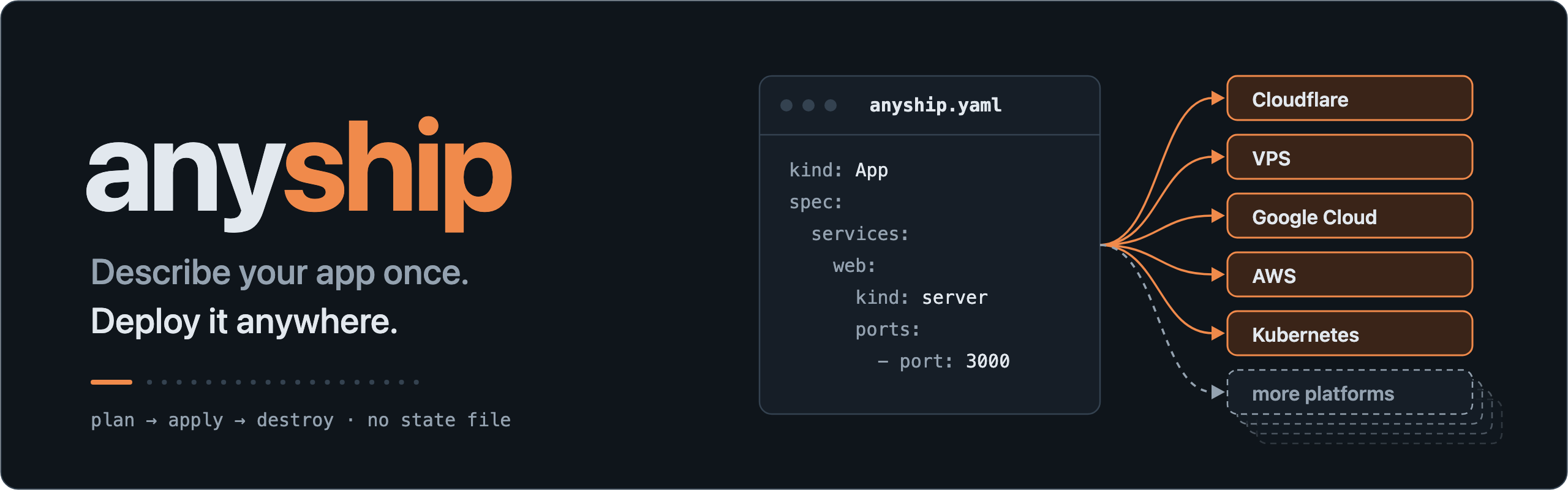
I run a handful of small apps. To keep the bill low they live wherever each one is cheapest: an edge handler on Cloudflare Workers, a web app on Cloud Run, a node that needs disks and open ports on my own VPS, and lately a cluster. Every one of them came with its own config file, its own deploy script and its own way of handling secrets. After a year of that, what I wanted was simple: describe each app once, and deploy it anywhere with the same command. That is anyship.
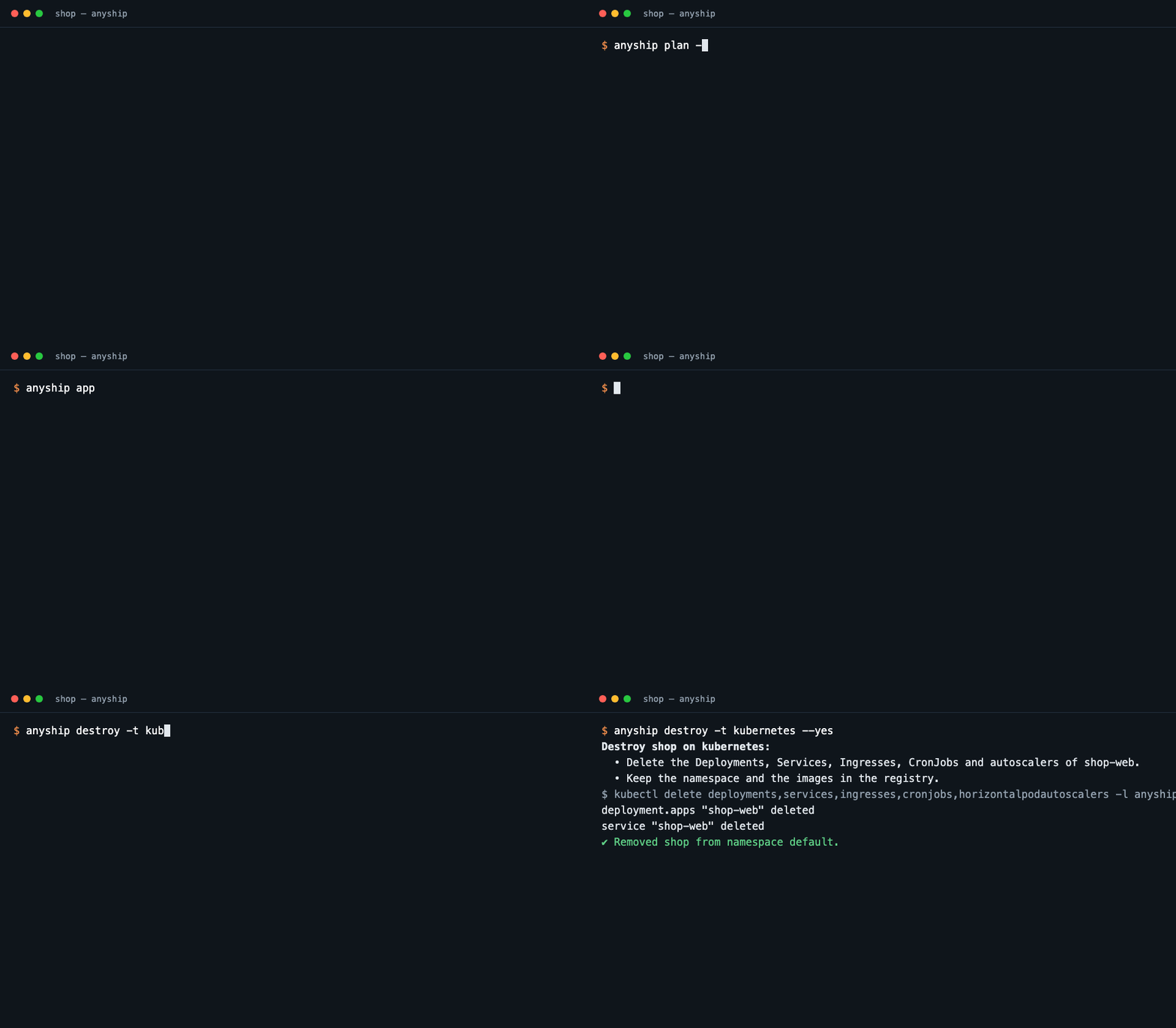
This is what it looks like, start to finish, against a Kubernetes cluster:
Pain 1: every platform has its own config file
Workers wants wrangler.jsonc. Cloud Run wants gcloud flags. A VPS wants a Compose file and ssh. Kubernetes wants manifests. The moment one service has to run on two of them, you keep two nearly identical configs, and they drift.
anyship keeps one file, anyship.yaml, that says what the app needs rather than how any platform provides it:
 1apiVersion: anyship/v1alpha1
 2kind: App
 3metadata:
 4  name: shop
 5spec:
 6  services:
 7    web:
 8      kind: server
 9      start: node dist/server.js
10      memory: 512MB
11      ports:
12        - port: 3000
13      secrets: [JWT_SECRET]
14      cron:
15        - schedule: "0 * * * *"
16          path: /tick
17  targets:
18    kubernetes: {namespace: shop, repository: ghcr.io/me/shop}
19    gcp: {project: my-project, region: asia-east1}
anyship apply -t kubernetes turns that into a Deployment, a Service, a Secret and a CronJob. anyship apply -t gcp turns the same file into a Cloud Run service, a Secret Manager secret and a Cloud Scheduler job. Whatever is platform-specific, like the namespace or the registry, lives under targets and nowhere else.
Pain 2: the requirements platforms don’t tell you about
This is where most of my time used to go. Cloud Run’s default request timeout is too short for a scheduler endpoint, so the service needs an explicit one. A public port on Kubernetes is reachable from inside the cluster only until there is an Ingress. A volumes entry means a single replica and a Recreate rollout, or two pods fight over the disk. None of this is wrong configuration; it is knowledge the platform expects you to already have.
anyship’s answer is a rule I called refuse, don’t drop: plan says every need the target can’t meet, or will meet in a way you might not expect, before anything runs. Each finding has a stable code and a hint:
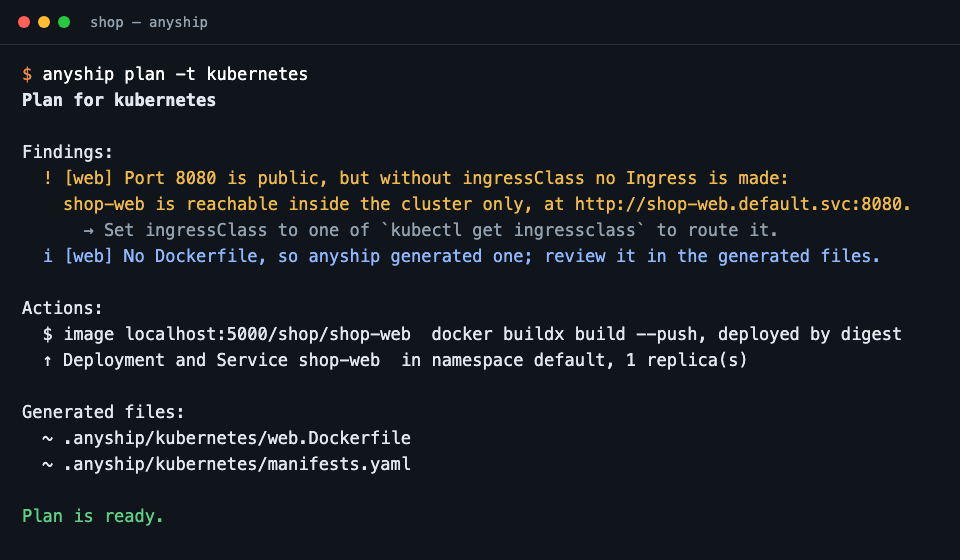
A target never silently downgrades. If it can’t do what the spec asks, it says so and the plan is not applied. The warnings read the same on every platform, so what I learned the hard way on Cloud Run is now a line in the output, and the next platform gets its own line.
The things that are infrastructure stay out on purpose. Firestore indexes, buckets, a Scheduler service account: those exist before the app does, and anyship binds to them by name instead of creating them. My own cuesocial, a small scheduler for Threads and Instagram posts, still has one setup-gcp.sh for exactly that, and nothing else.
Pain 3: image versions and secrets, each done differently
I want every deploy to run exactly the image it built. anyship builds with docker buildx, pushes, and deploys by digest; a tag like latest in the spec gets a warning that it can move. Secrets are declared once by name; each target stores them in its own place (Secret Manager, Secrets Manager, a Kubernetes Secret mounted as files, files on the host) and finds them again by that name. The spec never holds a value.
Why not Terraform?
I don’t need to create infrastructure; the servers, DNS and databases already exist. I need to put applications on them and operate them the same way everywhere. Terraform’s state file was extra weight for that job: something to store, lock and reconcile.
anyship keeps no state at all. Every object it creates is named after the spec and labeled with the project, so status, logs and destroy just ask the platform what is there right now. Two machines can operate the same deployment and nothing can get out of sync, because there is nothing to sync.
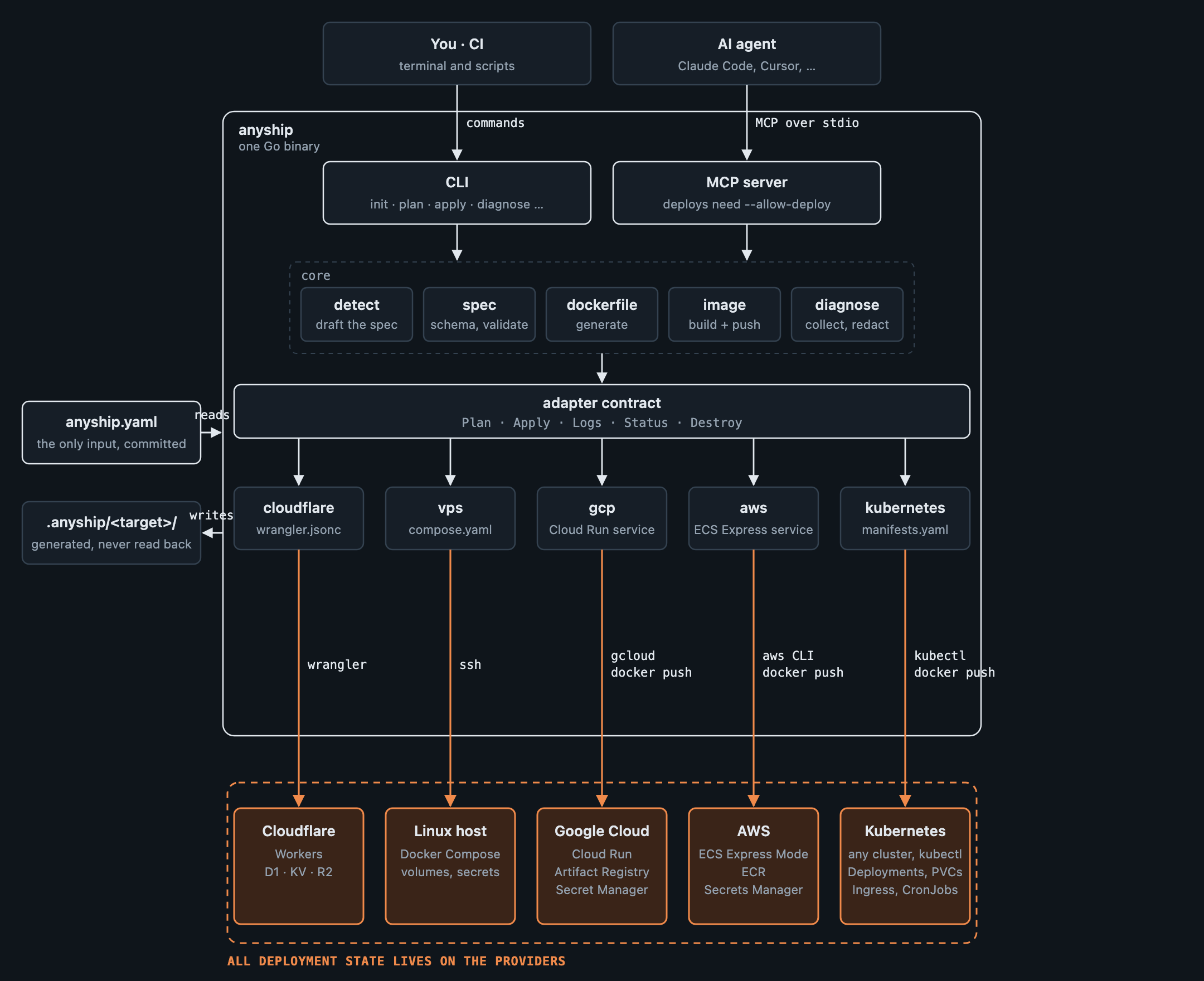
It is one Go binary with no server and no cloud SDKs. Every adapter shells out to the tool you already have, wrangler, ssh, gcloud, aws, kubectl, with your own login. anyship holds no credentials.
The same interface for an agent
Once deploys are one interface, letting an agent use it is free. anyship ships an MCP server, and every command also has a --json form built from the same types, so the answers are identical whichever way the agent reaches it:
1claude mcp add anyship -- anyship mcp        # plan, dry runs, status, logs
2claude mcp add anyship -- anyship mcp --allow-deploy   # also real deploys
The safety lives in the tools, not in the agent’s judgment:
- Without
--allow-deploythe MCP server only plans and dry-runs. Real deploys and destroys need the flag. - Deleting data needs the project’s name passed back as
confirm_project. plan,status,logsand the other read-only tools write nothing to the project, so a host can run them without asking every time.
And when a deploy fails, anyship diagnose calls no model of its own. It hands your agent a redacted picture of the deployment: the spec, the plan’s findings, the dry-run checks, status, recent logs and the generated files. Whatever the agent proposes is an edit to anyship.yaml that goes through plan like any other. AI helps write the spec and read the failure; it never sits on the deploy path. What ships is a file I reviewed.
Try it
anyship is still in development (v0.6): the spec and the commands can change, and the README says how far each target has been verified. If your projects are scattered the same way, try it on one of them:
1curl -fsSL https://raw.githubusercontent.com/j75689/anyship/main/install.sh | sh
2cd your-app && anyship init && anyship plan -t <target>
plan changes nothing, so the worst case is a list of what the target can’t do yet. If that list has something a platform of yours needs, open an issue, and if you’d like to build it, pull requests are welcome.